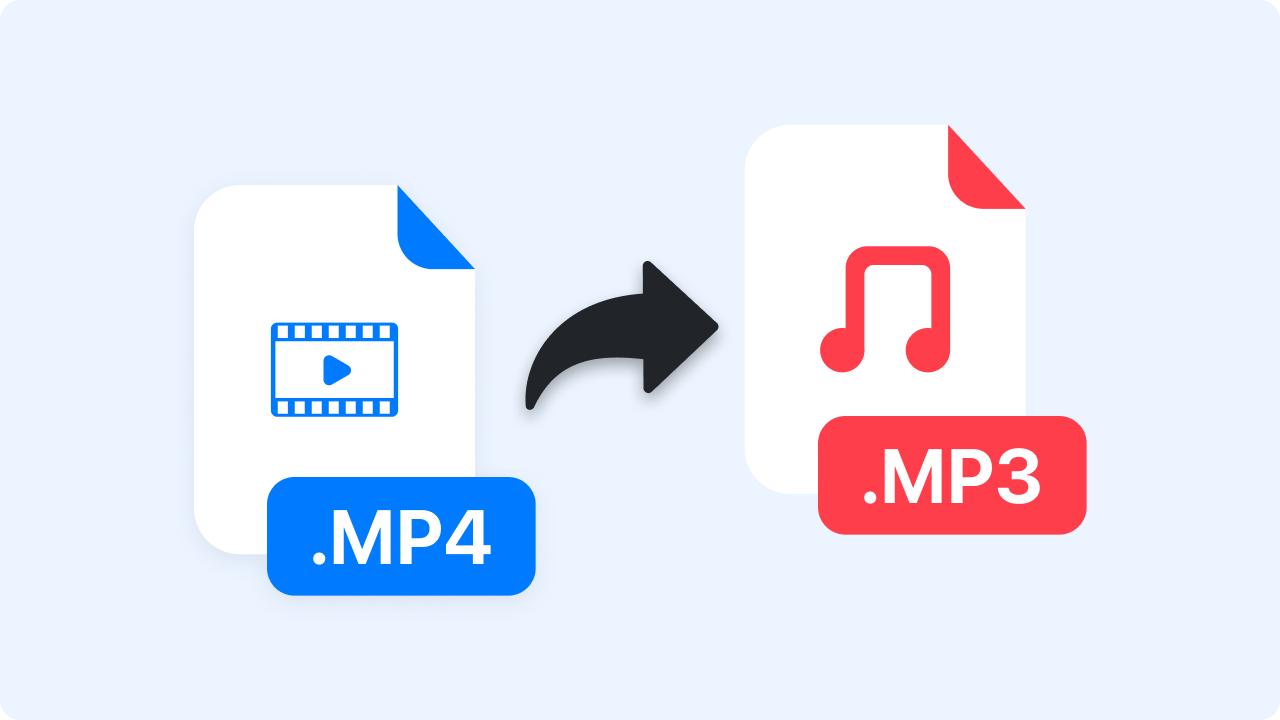
Video content dominates the internet in 2026 — over 82% of all online traffic is now video. But here's the thing: sometimes you just need the audio. Maybe it's a podcast recorded as video, a lecture you want to listen to on your commute, or a music video you'd rather have as an MP3 on your phone.
The problem? Most people don't want to install bulky software, create accounts, or deal with sketchy download sites just to extract audio from a video file. You need something fast, free, and private.
We tested dozens of online video to MP3 converters in 2026 and ranked them based on audio quality, file size limits, speed, privacy, and ease of use. Here are the best options — starting with our top pick.
🎵 Ready to convert video to MP3 right now?
Use our free online Video to MP3 Converter - no registration, no download required!
Convert Video to MP3 Free →Quick Comparison: Best Video to MP3 Converters in 2026
Before diving into the details, here's a quick overview of how the top tools stack up:
| Tool | Max File Size | Max Bitrate | Batch Support | Registration | Best For |
|---|---|---|---|---|---|
| Arya Web Studio ⭐ | 750MB | 320kbps | ✅ Yes | None | Overall best free option |
| FreeConvert | 1GB | 320kbps | ✅ Yes | Optional | Large files |
| CloudConvert | 1GB | 320kbps | ✅ Yes | Required (free tier) | Advanced settings |
| Convertio | 100MB | 320kbps | ✅ Yes | Optional | Small files, clean UI |
| Online Audio Converter | 2GB | 320kbps | ✅ Yes | None | Very large files |
| Zamzar | 50MB | 256kbps | ❌ No | Required | Quick single file |
1. Arya Web Studio Video to MP3 Converter (Our Top Pick)
Best for: Fast, no-nonsense conversion with professional audio quality controls
Our own Video to MP3 Converter takes the top spot because it delivers everything you need without the baggage. No registration, no email, no software download — just upload your video and get your MP3.
What Makes It Stand Out
- 750MB file size limit — handles hour-long videos without issues
- Bitrate control (128k–320k) — choose between smaller file size or maximum audio quality
- Sample rate options — 44.1kHz (CD quality) or 48kHz (studio quality)
- Audio normalization — evens out volume levels automatically
- Batch processing — convert multiple videos at once with real-time progress tracking
- All major formats — MP4, AVI, MOV, MKV, WebM, FLV, WMV, M4V
- Zero registration — no account, no email, just convert
Format-Specific Converters
We also offer dedicated pages optimized for specific video formats, so you get a tailored experience:
- MP4 to MP3 Converter — the most popular video format conversion
- AVI to MP3 Converter — for legacy video files
- MOV to MP3 Converter — perfect for iPhone and Mac recordings
- MKV to MP3 Converter — handles multi-track MKV containers
- WebM to MP3 Converter — ideal for web videos and screen recordings
- FLV to MP3 Converter — convert legacy Flash content
- WMV to MP3 Converter — for Windows Media video files
Verdict: Best all-around free option. The 750MB limit covers most use cases, the quality controls are professional-grade, and the zero-registration policy means you can start converting immediately.
2. FreeConvert
Best for: Large video files up to 1GB
FreeConvert is a well-known online converter that supports video to MP3 conversion with a generous 1GB file size limit on the free plan. The interface is clean and the conversion speed is decent.
Pros
- 1GB file size limit (free tier)
- Supports 60+ video/audio formats
- Advanced options (bitrate, sample rate, channels)
- Cloud storage integration (Google Drive, Dropbox, URL)
Cons
- Limited to 25 conversions per day on free plan
- Ads on the free version
- Slower processing compared to lighter tools
- Occasional upsell prompts
Verdict: Solid choice if you need to convert files larger than 750MB. The daily limit is generous enough for most personal use.
3. CloudConvert
Best for: Power users who want granular control over conversion settings
CloudConvert is a developer-friendly conversion platform with an API and extremely detailed settings. You can control everything from codec selection to channel layout.
Pros
- Highly customizable settings (codec, bitrate, channels, trimming)
- API available for automation
- Supports 200+ file formats
- Cloud storage integration
Cons
- Requires registration (free tier: 25 conversions/day)
- Interface can feel overwhelming for simple tasks
- Free credits run out quickly with large files
Verdict: Overkill for casual users, but excellent if you need API access or very specific encoding parameters.
4. Convertio
Best for: Quick conversions of smaller files with a clean interface
Convertio has one of the cleanest, most intuitive interfaces among online converters. It's straightforward — upload, choose format, convert, download.
Pros
- Very clean, ad-light interface
- Supports batch uploads
- Cloud storage integration
- Fast processing for small files
Cons
- 100MB file size limit on free plan (major limitation)
- 10 minutes of conversion time per day (free)
- Limited quality settings on free tier
Verdict: Great UI, but the 100MB limit makes it unsuitable for longer videos. Best for short clips and quick conversions.
5. Online Audio Converter (123apps)
Best for: Very large files with no registration requirement
Part of the 123apps suite, Online Audio Converter handles files up to 2GB and doesn't require any account creation. It processes files locally in the browser for smaller files, adding a privacy benefit.
Pros
- 2GB file size limit
- No registration required
- Browser-based processing for smaller files (better privacy)
- Simple three-step workflow
Cons
- Fewer quality control options
- No batch processing
- Interface feels dated
- Ads present on free version
Verdict: Go-to option if your file exceeds 1GB and you don't want to sign up for anything. Just don't expect fine-grained quality controls.
6. Zamzar
Best for: Single quick conversions when simplicity matters most
Zamzar has been around since 2006 and keeps things dead simple. Upload a file, pick a format, get your conversion. No settings to configure, no options to debate.
Pros
- Extremely simple — three clicks to convert
- Supports many file formats
- Established and trusted brand
- Email delivery option
Cons
- 50MB file size limit on free plan (very restrictive)
- No quality/bitrate settings
- Requires email for delivery on free plan
- Only two free conversions per day
Verdict: Too limited for regular use in 2026. The 50MB cap and lack of quality controls make it hard to recommend unless you just need a one-off quick conversion of a very small file.
How to Choose the Right Video to MP3 Converter
Not all converters are equal. Here's what to look for when picking one:
File Size Limit
This is the make-or-break factor. A 5-minute 1080p video is typically 300–500MB. A 30-minute recording can easily exceed 1GB. If your converter caps at 50MB or 100MB, you'll be stuck with short clips only. Look for at least 500MB+ for practical use.
Audio Quality (Bitrate)
Bitrate directly determines how your MP3 will sound:
- 128kbps — Acceptable for voice content (podcasts, lectures, audiobooks)
- 192kbps — Good balance for general music and mixed content
- 256kbps — High quality, difficult to distinguish from original
- 320kbps — Maximum MP3 quality, best for music preservation
If a converter doesn't let you choose bitrate, it's likely using a low default. Always pick a tool that gives you control.
Format Support
Your converter should handle at least these common video formats:
- MP4 — The universal standard (phones, cameras, downloads)
- AVI — Legacy format still common in archives
- MOV — iPhone and Mac default recording format
- MKV — Popular for high-quality video with multiple audio tracks
- WebM — Browser recordings and screen captures
- WMV — Windows Media files from older systems
Privacy and Security
When you upload a video to an online converter, you're trusting that service with your content. Look for converters that:
- Auto-delete files after conversion
- Don't require account creation
- Use HTTPS connections
- Have a clear privacy policy
Batch Processing
If you regularly convert multiple files, batch support saves enormous time. Upload 10 videos, set your quality preferences once, and convert them all in a single session.
Step-by-Step: How to Convert Video to MP3 Online
Here's exactly how to extract audio from any video file using our free Video to MP3 converter:
Step 1: Upload Your Video
Click "Choose Videos" or drag and drop your video file into the upload area. You can upload MP4, AVI, MOV, MKV, WebM, FLV, WMV, or M4V files up to 750MB. Multiple files are supported for batch conversion.
Step 2: Configure Audio Quality
Select your preferred settings:
- Bitrate: 192kbps is recommended for most uses. Choose 320kbps for music or 128kbps for voice content where smaller file size matters.
- Sample Rate: 44.1kHz (CD quality) works for everything. Use 48kHz if you need studio-grade output.
- Channels: Stereo for music, Mono for voice recordings (halves file size).
- Normalize Volume: Enable this if your source video has inconsistent audio levels.
Step 3: Convert
Click "Convert to MP3" and watch the real-time progress bar. A typical 5-minute video converts in under 30 seconds.
Step 4: Download
Download individual MP3 files or grab all converted files at once. Files are automatically deleted from our servers after processing — your privacy is protected.
Understanding MP3 Bitrate: Which Quality Should You Choose?
Bitrate is the single biggest factor in MP3 audio quality. Here's a practical guide to help you decide:
| Bitrate | Quality Level | File Size (per minute) | Best For |
|---|---|---|---|
| 128kbps | Good | ~1 MB | Podcasts, audiobooks, voice recordings, lectures |
| 192kbps | High | ~1.5 MB | General music, mixed content, streaming quality |
| 256kbps | Very High | ~2 MB | High-fidelity music, professional content |
| 320kbps | Maximum | ~2.5 MB | Audiophile listening, music archiving, DJ sets |
Pro tip: For most people, 192kbps is the sweet spot. It's indistinguishable from higher bitrates on regular speakers and earbuds, while keeping file sizes manageable. Only go 320kbps if you're listening on high-end headphones or speakers and care about preserving every detail.
Popular Use Cases for Video to MP3 Conversion
Why do millions of people convert video to MP3 every day? Here are the most common scenarios:
🎓 Students & Learners
Convert recorded lectures, webinars, and educational videos to MP3 so you can review material during your commute, workout, or while doing chores. Audio-only files use a fraction of the storage compared to video.
🎵 Music Lovers
Extract audio from music videos to build playlists you can listen to anywhere — even on devices or apps that don't support video playback. Perfect for creating workout mixes or offline playlists.
🎙️ Podcasters & Content Creators
Recorded your podcast as video for the visual version? Extract the audio track for distribution on Spotify, Apple Podcasts, and other audio-only platforms without re-recording.
💼 Professionals
Convert meeting recordings, presentations, and training videos to audio format for easy review. MP3 files are smaller, easier to share, and can be listened to during multitasking.
📱 Mobile Users
Videos consume massive storage on phones. Converting to MP3 reduces file sizes by 90%+ while keeping the audio content you actually need — music, podcasts, recordings.
🎬 Filmmakers & Editors
Quickly extract audio tracks from video footage for editing, dialogue review, or creating scratch audio files without opening full editing software.
Online vs. Desktop Converters: Which Is Better?
Both approaches have their place. Here's when to use each:
Choose an Online Converter When:
- You need a quick one-off conversion
- You don't want to install software
- You're on a work/school computer without admin access
- Your files are under 750MB–1GB
- You want cross-platform compatibility (works on Mac, Windows, Linux, Chromebook, phone)
Consider Desktop Software When:
- You're converting files larger than 1–2GB regularly
- You need to process hundreds of files in batch
- You require advanced audio editing (trimming, fading, effects)
- Privacy is critical and you can't upload files to any server
- You have unreliable internet connectivity
For the vast majority of users in 2026, online converters handle everything needed. Desktop software is only necessary for professional-level batch processing or extremely large files.
Video to MP3 Conversion: Tips for Best Results
Get the most out of your conversions with these practical tips:
1. Match Bitrate to Source Quality
There's no point converting to 320kbps if your source video has low-quality audio. Check the original: if it's a compressed web video, 192kbps output is usually sufficient. Higher bitrate won't magically improve poor source audio.
2. Use Mono for Voice Content
Podcasts, lectures, and voice recordings are almost always mono content. Selecting mono output cuts your file size in half with zero audible difference for spoken word.
3. Enable Normalization for Mixed Sources
If you're converting multiple videos from different sources (e.g., different lecturers, different recording setups), enable audio normalization. This evens out the volume levels so you don't need to adjust volume between tracks.
4. Choose the Right Format Converter
If you know your file type, use a format-specific converter for the best experience. Our MP4 to MP3 converter, for example, is optimized specifically for MP4 files and shows only relevant options.
5. Batch When Possible
If you have multiple files, upload them all at once rather than one at a time. Batch processing is significantly faster than individual conversions because the server stays warm between files.
Frequently Asked Questions
Is it safe to convert video to MP3 online?
Yes, when using reputable tools. Look for converters that use HTTPS, auto-delete files after conversion, and don't require personal information. Our converter processes files securely and deletes them automatically after you download your MP3.
What's the best bitrate for converting video to MP3?
192kbps is the best balance of quality and file size for most people. Use 128kbps for voice-only content (podcasts, lectures) and 320kbps for music you'll listen to on high-quality speakers or headphones.
Can I convert video to MP3 on my phone?
Absolutely. Online converters like our Video to MP3 tool work in any mobile browser — iPhone Safari, Android Chrome, or any other. No app installation needed.
How long does conversion take?
Most conversions finish in seconds to a couple of minutes depending on file size and your internet speed. A typical 5-minute video converts in under 30 seconds. Larger files (500MB+) may take 1–2 minutes.
Will I lose audio quality when converting to MP3?
MP3 is a lossy format, so there's technically some quality reduction compared to uncompressed audio. However, at 192kbps or higher, the difference is imperceptible to most listeners on standard equipment. For truly lossless extraction, you'd need FLAC or WAV format instead.
What video formats can I convert to MP3?
All major video formats are supported: MP4, AVI, MOV (QuickTime/iPhone), MKV (Matroska), WebM (browser recordings), FLV (Flash), WMV (Windows Media), and M4V (iTunes). If it's a video file, it can be converted.
Can I convert multiple videos at once?
Yes, batch processing is supported. Upload multiple files simultaneously, configure your quality settings once, and convert them all together. Each file gets its own progress indicator so you can track the conversion status.
Do I need to create an account?
No. Our converter requires zero registration — no email, no account, no personal information. Just upload your video and download your MP3. Other tools like CloudConvert and Zamzar do require accounts even on free tiers.
Final Verdict: Which Video to MP3 Converter Should You Use?
Here's the quick decision guide:
- For most people: Arya Web Studio — 750MB limit, 320kbps max, batch support, zero registration
- For very large files (1GB+): FreeConvert or Online Audio Converter
- For API/automation needs: CloudConvert
- For quick small files: Convertio
The reality is that in 2026, you shouldn't have to jump through hoops to extract audio from a video. No software downloads, no account creation, no hidden fees. Just upload, convert, and download.
Start Converting Your Videos to MP3 Today
Ready to extract high-quality audio from your videos? Try our free Video to MP3 Converter — no registration, no download, no limits on conversions.
Features: 750MB file size • 320kbps max quality • Batch processing • 8 video formats • Audio normalization • Instant download
Whether you're a student extracting lecture audio, a podcaster repurposing video content, or just someone who wants their favorite videos as MP3 files — the tools above have you covered. Start with our converter and see how easy it is to get professional-quality MP3 files from any video in seconds.
Loading comments...
No comments yet
Be the first to share your thoughts!