
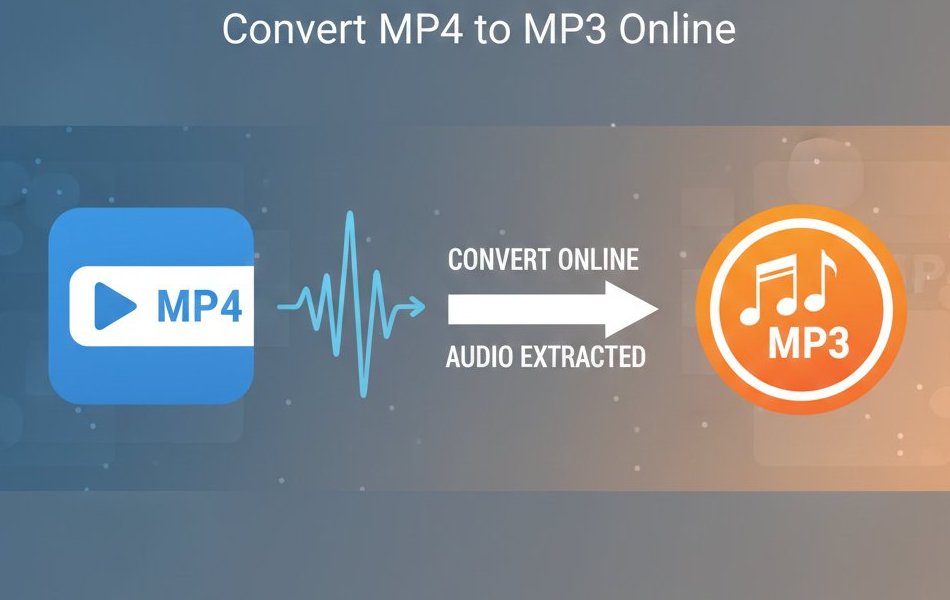
Why Extract Audio from Video Files?
Converting MP4 videos to MP3 audio files is one of the most popular file conversion tasks. Whether you want to create a podcast from a video recording, extract music from a music video, or save storage space by keeping only the audio, our Video to MP3 converter makes the process simple and fast.
Understanding MP4 and MP3 Formats
What is MP4?
MP4 (MPEG-4 Part 14) is a digital multimedia container format that can store video, audio, subtitles, and images in a single file. Developed by the Moving Picture Experts Group (MPEG), MP4 has become the standard format for video content across platforms.
MP4 Key Features:
- • Container Format: Holds multiple data streams (video, audio, metadata)
- • Compression: Uses advanced codecs like H.264 for efficient storage
- • Universal Support: Compatible with virtually all devices and platforms
- • Streaming Friendly: Optimized for online video delivery
- • Quality: Maintains high quality while keeping file sizes manageable
What is MP3?
MP3 (MPEG Audio Layer III) is a lossy audio compression format that revolutionized digital music. It reduces file sizes by removing audio frequencies that are less audible to human ears, achieving compression ratios of 10:1 or 12:1 while maintaining acceptable quality.
MP3 Key Features:
- • Lossy Compression: Reduces file size by removing inaudible frequencies
- • Variable Bitrates: Supports 32kbps to 320kbps for different quality levels
- • Universal Compatibility: Supported by all audio players and devices
- • Small File Size: Typically 1MB per minute of audio at standard quality
- • Metadata Support: Can store song information, album art, and tags
🎵 Popular Use Cases
- • Extract music from music videos
- • Convert video lectures to audio for mobile listening
- • Create podcasts from video recordings
- • Save storage space by keeping audio-only versions
- • Extract audio for presentations or projects
How to Convert MP4 to MP3 Online
Our online Video to MP3 converter makes audio extraction simple with just a few clicks. No software installation required - everything happens in your browser securely.
Step-by-Step Conversion Process
- Upload Your MP4 File - Click "Choose File" or drag and drop your video file into the converter. Files up to 500MB are supported.
- Select Audio Quality - Choose from standard (128kbps), high (192kbps), or premium (320kbps) quality based on your needs.
- Start Conversion - Click "Convert to MP3" and our servers will extract the audio track from your video.
- Download Your MP3 - Once processing is complete, download the extracted audio file to your device.
✅ Why Choose Our Converter?
Free & Unlimited
No registration, watermarks, or payment required
High Quality Audio
Preserve original audio quality up to 320kbps
Multiple File Support
Convert multiple video files one by one
Lightning Fast
Advanced servers process files in seconds
100% Secure
SSL encryption and automatic file deletion
All Devices
Works on desktop, mobile, and tablets
Audio Quality Settings Explained
Understanding audio quality settings helps you choose the right balance between file size and sound quality:
| Quality Level | Bitrate | File Size | Best For |
|---|---|---|---|
| Standard | 128 kbps | Small | Podcasts, voice recordings |
| High | 192 kbps | Medium | General music listening |
| Premium | 320 kbps | Large | Professional audio, audiophiles |
Supported Video Formats
Our video converter supports a wide range of video formats for audio extraction. Whether you have files from smartphones, cameras, or downloaded content, we can extract the audio:
Common Formats
- • MP4 - Most popular, universal support
- • AVI - Windows standard format
- • MOV - Apple QuickTime format
- • WMV - Windows Media Video
- • 3GP - Mobile phone videos
HD & Professional
- • MKV - High-definition container
- • M4V - iTunes video format
- • FLV - Flash video format
- • WEBM - Web-optimized format
- • VOB - DVD video format
Output Audio Options
- • MP3 - Most compatible (recommended)
- • WAV - Uncompressed quality
- • AAC - Apple standard
- • OGG - Open-source format
- • FLAC - Lossless compression
Technical Details: How Audio Extraction Works
Understanding the technical process helps you make better decisions about quality settings and expected results:
The Extraction Process
- 1. Container Analysis: Our system analyzes the MP4 container to identify audio streams
- 2. Audio Stream Isolation: The audio track is separated from video and subtitle data
- 3. Format Conversion: If needed, the audio is converted from its original codec to MP3
- 4. Quality Optimization: Bitrate and sample rate are adjusted based on your settings
- 5. Metadata Preservation: Title, artist, and other information is maintained when possible
Tips for Best Audio Extraction Results
Choose the Right Quality Setting
For music and high-fidelity audio, use 192kbps or 320kbps. For speech, podcasts, or audiobooks, 128kbps provides excellent quality while keeping file sizes small. Use our compression tools if you need to reduce file sizes further.
Understand Source Quality Limitations
The output quality cannot exceed the original video's audio quality. A video with 128kbps audio cannot produce a genuine 320kbps MP3. Check your source video's properties first using our file comparison tools.
File Size and Storage Planning
A 5-minute video typically produces a 3-5MB MP3 file at 128kbps, or 8-12MB at 320kbps. For multiple conversions, simply repeat the process with each video file.
Handling Large Files
For videos larger than 500MB, consider using our video compressor first to reduce file size, or split the video before audio extraction.
MP4 vs MP3: Key Differences Explained
| Aspect | MP4 | MP3 |
|---|---|---|
| Content Type | Video + Audio + Subtitles | Audio Only |
| File Size | Large (includes video data) | Small (audio only) |
| Compression | Container format (various codecs) | Lossy audio compression |
| Use Cases | Videos, movies, streaming | Music, podcasts, audiobooks |
| Device Support | Universal (video players) | Universal (audio players) |
| Bandwidth Usage | High (video streaming) | Low (audio streaming) |
Frequently Asked Questions
Is it legal to extract audio from videos?
Yes, for videos you own or have permission to use. This includes personal recordings, purchased content, and videos with appropriate licenses. Always respect copyright laws when converting content you don't own. For copyrighted material like music videos or movies, you should only extract audio for personal use and not redistribute it.
What's the maximum file size I can convert?
Our converter supports files up to 500MB. For larger files, we recommend using our video compressor first to reduce the file size, or consider splitting the video into smaller segments. Most standard videos (1-2 hours) fall well within this limit. If you have 4K or very long videos, compression before conversion will help ensure smooth processing.
How long does conversion take?
Most conversions complete in 30-60 seconds, depending on file size and selected quality. A typical 5-minute video takes about 15-30 seconds, while longer videos (30+ minutes) may take 2-3 minutes. Processing time also depends on the original video quality and your chosen MP3 bitrate. Our servers are optimized for speed while maintaining quality.
Are my files safe and private?
Absolutely! All uploaded files are processed using SSL encryption and automatically deleted from our servers within 24 hours. We don't store, share, or access your content. The conversion happens on secure servers, and only you have access to download the converted files. We recommend downloading your files promptly and don't rely on our servers for long-term storage.
What audio quality should I choose?
For music and high-quality audio, choose 192kbps or 320kbps. For podcasts, audiobooks, or voice recordings, 128kbps provides excellent quality while keeping file sizes smaller. Remember that the output quality cannot exceed the original video's audio quality - a video with 128kbps audio won't benefit from 320kbps conversion settings.
Can I convert multiple videos at once?
Currently, our tool processes one video at a time to ensure optimal quality and speed. However, you can queue multiple conversions by repeating the process for each file. This approach allows you to monitor each conversion and adjust quality settings per video if needed. For bulk processing, consider organizing your files by desired quality settings.
Alternative Audio Formats
While MP3 is the most popular choice for its universal compatibility, you might consider other formats depending on your specific needs:
WAV Format
Best for: Professional audio editing, studio work
Quality: Uncompressed, highest quality
File Size: Very large (10MB per minute)
AAC Format
Best for: Apple devices, iTunes, streaming
Quality: Better compression than MP3
File Size: Smaller than MP3 at same quality
OGG Format
Best for: Open-source projects, web streaming
Quality: Excellent compression efficiency
File Size: Smaller than MP3, similar quality
FLAC Format
Best for: Audiophiles, archival purposes
Quality: Lossless compression
File Size: Large but smaller than WAV
Ready to Extract Audio from Your Videos?
Convert MP4 to MP3 instantly with our free online tool. No registration required!
Related Tools & Guides
Explore our comprehensive suite of audio and video conversion tools:
🎵 Audio & Video Tools
- • Video to MP3 Converter - Extract audio from any video
- • Video Compressor - Reduce video file sizes
- • MP4 to AVI Converter - Convert video formats
- • AVI to MP4 Converter - Convert AVI to MP4
- • MOV to MP4 Converter - Apple video conversion
- • MKV to MP4 Converter - Convert MKV files
- • WebM to MP4 Converter - Web video conversion
📄 Document & Image Tools
- • PDF Compressor - Reduce PDF file sizes
- • Word to PDF - Convert documents to PDF
- • PDF to Word - Convert PDF to editable Word
- • Image Compressor - Optimize image sizes
- • JPG to PNG - Convert image formats
- • PNG to JPG - Convert PNG to JPG
Loading comments...
No comments yet
Be the first to share your thoughts!