
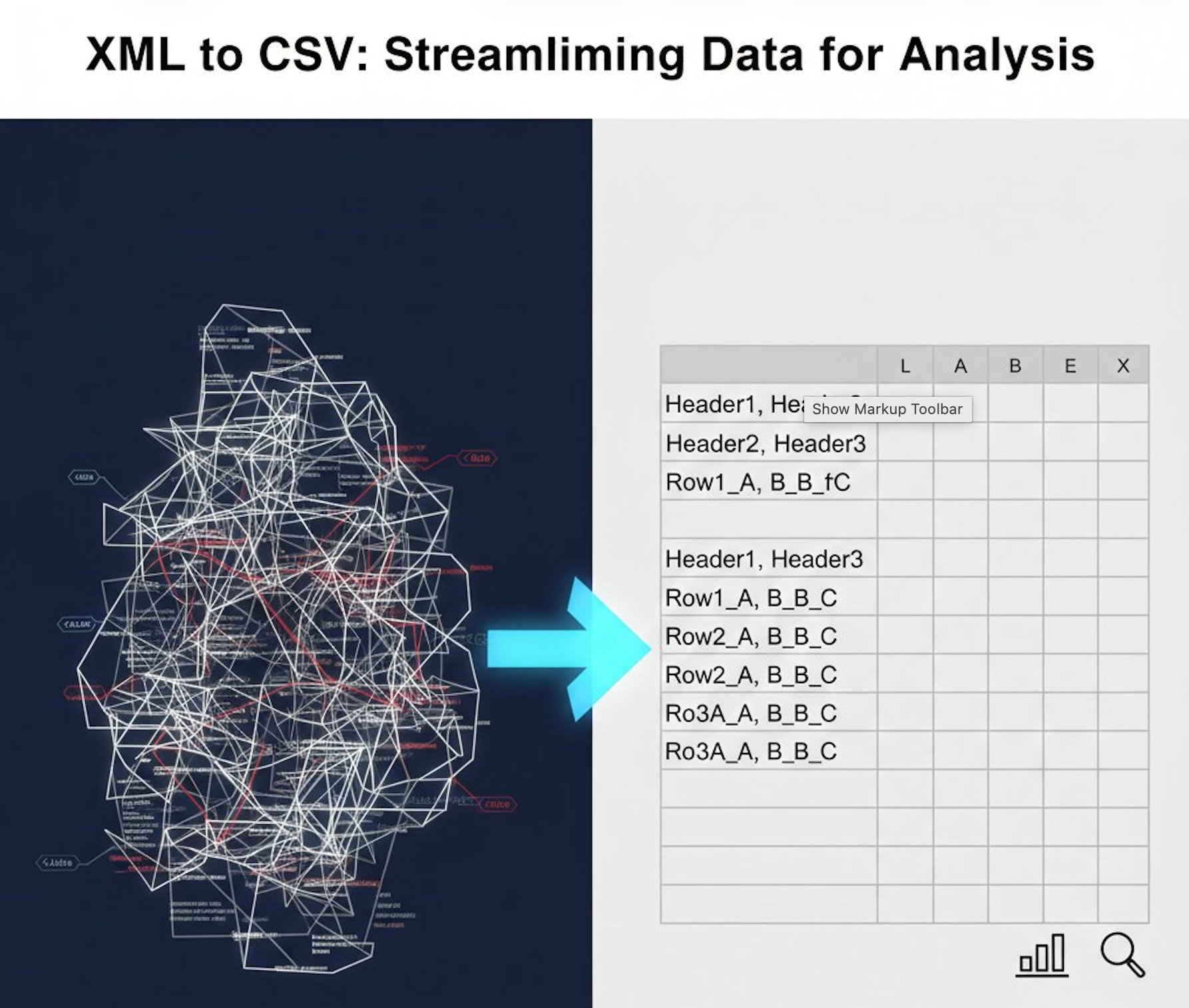
🚀 Need to convert XML to CSV now?
Use our free online XML to CSV converter - no registration required!
Convert XML to CSV Free →XML (Extensible Markup Language) and CSV (Comma-Separated Values) are two of the most common data formats in modern data analysis. While XML offers hierarchical structure and flexibility, CSV provides simplicity and universal compatibility. Understanding when and why to convert XML to CSV can significantly improve your data analysis workflow.
In this comprehensive guide, we'll explore the top 5 use cases where converting XML to CSV makes perfect sense, along with practical examples and best practices for each scenario.
Why Convert XML to CSV for Data Analysis?
Before diving into specific use cases, let's understand the key advantages of CSV format for data analysis:
- Universal compatibility: CSV files open in Excel, Google Sheets, and virtually every data analysis tool
- Simplicity: Flat, tabular structure is easier to understand and manipulate
- Smaller file size: CSV files are typically more compact than XML
- Faster processing: Most tools can read and process CSV files more quickly
- Easy visualization: Spreadsheet applications make it simple to create charts and graphs
- Database import: Most databases can directly import CSV files
Use Case #1: API Response Analysis
The Challenge
Many APIs return data in XML format, especially older REST APIs and SOAP web services. While XML is great for data exchange, it's not ideal for quick analysis or visualization. Data analysts often need to examine API responses to understand patterns, identify issues, or generate reports.
The Solution
Converting XML API responses to CSV enables immediate analysis in familiar tools like Excel or Google Sheets. This is particularly useful for:
- E-commerce platforms: Analyzing product catalogs, inventory levels, or order data
- Financial services: Processing transaction records or account statements
- Weather services: Analyzing historical weather data for trends
- Social media APIs: Examining user engagement metrics or post performance
Real-World Example
Imagine you're analyzing sales data from an e-commerce API that returns XML:
<orders>
  <order>
    <id>12345</id>
    <customer>John Doe</customer>
    <amount>299.99</amount>
    <date>2024-01-15</date>
  </order>
  <order>
    <id>12346</id>
    <customer>Jane Smith</customer>
    <amount>149.50</amount>
    <date>2024-01-15</date>
  </order>
</orders>
After converting to CSV using our XML to CSV converter, you get a clean spreadsheet format:
id,customer,amount,date
12345,John Doe,299.99,2024-01-15
12346,Jane Smith,149.50,2024-01-15
Now you can easily calculate totals, create pivot tables, or generate charts in Excel.
Best Practices
- Save API responses as XML files before conversion for record-keeping
- Use consistent naming conventions for converted CSV files
- Automate the conversion process for regular API data pulls
- Validate data after conversion to ensure accuracy
Use Case #2: Database Migration and ETL Processes
The Challenge
Organizations often need to migrate data between different systems or perform ETL (Extract, Transform, Load) operations. Source systems may export data in XML format, while target systems prefer CSV for bulk imports. Manual conversion of large XML files is time-consuming and error-prone.
The Solution
Converting XML to CSV streamlines database migration and ETL workflows. CSV is the preferred format for:
- Bulk database imports: MySQL, PostgreSQL, and SQL Server all support CSV imports
- Data warehouse loading: Tools like Snowflake and Redshift optimize for CSV ingestion
- Data lake storage: CSV files are easier to query with tools like Apache Spark
- Legacy system integration: Older systems often only accept CSV format
Real-World Example
A company needs to migrate customer data from an old CRM system (XML export) to a new database. The XML contains nested customer information:
<customers>
  <customer>
    <name>Acme Corp</name>
    <email>contact@acme.com</email>
    <phone>555-0100</phone>
    <status>active</status>
  </customer>
</customers>
Using our XML to CSV tool, this converts to a database-ready format that can be imported with a single SQL command.
Best Practices
- Test conversions with a small sample before processing large datasets
- Document field mappings between XML and CSV structures
- Handle special characters and encoding properly
- Implement data validation checks post-conversion
- Keep backup copies of original XML files
Streamline Your Data Workflow
Converting XML to CSV doesn't have to be complicated. Our free online tool handles the conversion instantly, preserving your data structure and formatting.
Features: Free unlimited use • Batch processing • Preserves data integrity • No registration required • Secure processing • Fast conversion
Use Case #3: Business Intelligence and Reporting
The Challenge
Business intelligence tools and reporting platforms often struggle with XML's hierarchical structure. Analysts need to create dashboards, generate reports, and perform ad-hoc queries, but XML makes these tasks unnecessarily complex.
The Solution
CSV format integrates seamlessly with popular BI tools and reporting platforms:
- Tableau: Direct CSV import for instant visualization
- Power BI: Native CSV support with automatic data type detection
- Google Data Studio: Easy CSV data source connection
- Excel Pivot Tables: Quick analysis and reporting
- Python/R analysis: Pandas and data.table libraries optimize for CSV
Real-World Example
A marketing team receives campaign performance data in XML format from their advertising platform. They need to create weekly reports showing:
- Campaign performance by channel
- Cost per acquisition trends
- ROI calculations
- Budget utilization
By converting the XML data to CSV, they can:
- Import directly into Tableau for interactive dashboards
- Use Excel pivot tables for quick summaries
- Combine with other CSV data sources for comprehensive analysis
- Share reports with stakeholders who prefer spreadsheet format
Best Practices
- Standardize column names for consistency across reports
- Include metadata columns (conversion date, source file) for tracking
- Set up automated conversion schedules for regular reporting
- Create templates for common report types
- Document data definitions and calculations
Use Case #4: Log File Analysis and System Monitoring
The Challenge
Many enterprise applications and systems generate logs in XML format. Security teams, DevOps engineers, and system administrators need to analyze these logs to identify issues, track performance, or investigate security incidents. XML logs are difficult to parse and analyze at scale.
The Solution
Converting XML logs to CSV enables efficient analysis with standard tools:
- Security analysis: Identify suspicious patterns in access logs
- Performance monitoring: Track response times and error rates
- Compliance auditing: Generate reports for regulatory requirements
- Troubleshooting: Quickly filter and sort log entries
- Trend analysis: Visualize patterns over time
Real-World Example
A DevOps team needs to analyze application logs to identify performance bottlenecks. The logs are in XML format:
<logs>
  <entry>
    <timestamp>2024-01-15T10:30:00Z</timestamp>
    <level>ERROR</level>
    <message>Database connection timeout</message>
    <response_time>5000</response_time>
  </entry>
</logs>
After converting to CSV with our free converter, they can:
- Sort by response time to find slowest operations
- Filter by error level to focus on critical issues
- Create time-series charts to identify peak problem periods
- Calculate average response times by operation type
- Export filtered results for incident reports
Best Practices
- Convert logs regularly to maintain manageable file sizes
- Use consistent timestamp formats for time-series analysis
- Archive original XML logs for compliance
- Create automated alerts based on CSV analysis
- Implement log rotation to prevent data overload
Use Case #5: Data Science and Machine Learning Preparation
The Challenge
Data scientists and ML engineers often receive training data or feature sets in XML format. However, most machine learning libraries and frameworks (scikit-learn, TensorFlow, PyTorch) expect data in tabular format. Converting XML to a usable format for model training is a common preprocessing challenge.
The Solution
CSV is the standard input format for data science workflows:
- Pandas DataFrames: Direct CSV loading with pd.read_csv()
- NumPy arrays: Easy conversion from CSV to numerical arrays
- Scikit-learn: Native CSV support for model training
- Feature engineering: Easier manipulation in tabular format
- Data visualization: Seaborn and Matplotlib work best with CSV/DataFrames
Real-World Example
A data science team is building a customer churn prediction model. Historical customer data is stored in XML format with nested attributes:
<customers>
  <customer>
    <id>C001</id>
    <tenure_months>24</tenure_months>
    <monthly_charges>79.99</monthly_charges>
    <total_charges>1919.76</total_charges>
    <churned>false</churned>
  </customer>
</customers>
After converting to CSV, the team can:
- Load data directly into Pandas for exploratory analysis
- Perform feature engineering (calculate ratios, create bins)
- Split data into training and testing sets
- Train machine learning models with scikit-learn
- Evaluate model performance with standard metrics
Python Example
import pandas as pd
from sklearn.model_selection import train_test_split
from sklearn.ensemble import RandomForestClassifier

# Load converted CSV data
df = pd.read_csv('customer_data.csv')

# Feature engineering
df['avg_monthly_charge'] = df['total_charges'] / df['tenure_months']

# Prepare features and target
X = df[['tenure_months', 'monthly_charges', 'avg_monthly_charge']]
y = df['churned']

# Train model
X_train, X_test, y_train, y_test = train_test_split(X, y, test_size=0.2)
model = RandomForestClassifier()
model.fit(X_train, y_train)
Best Practices
- Flatten nested XML structures before conversion
- Handle missing values appropriately during conversion
- Normalize data types (dates, numbers, booleans)
- Document feature definitions and transformations
- Version control both XML sources and converted CSV files
- Validate data quality after conversion
How to Convert XML to CSV Efficiently
Using Our Online Tool (Recommended)
The fastest way to convert XML to CSV is using our free online XML to CSV converter:
- Upload your XML file: Drag and drop or click to select
- Automatic conversion: Our tool parses the XML structure
- Download CSV: Get your converted file instantly
- Batch processing: Convert multiple files at once
Alternative Methods
Python (for automation):
import pandas as pd
import xml.etree.ElementTree as ET

tree = ET.parse('data.xml')
root = tree.getroot()

data = []
for item in root.findall('.//record'):
    data.append({
        'field1': item.find('field1').text,
        'field2': item.find('field2').text
    })

df = pd.DataFrame(data)
df.to_csv('output.csv', index=False)
Excel (for simple conversions):
- Open Excel and go to Data → Get Data → From File → From XML
- Select your XML file
- Choose the table to import
- Save as CSV
Common Challenges and Solutions
Challenge 1: Nested XML Structures
Problem: XML often contains nested elements that don't map directly to flat CSV format.
Solution: Our XML to CSV converter automatically flattens nested structures, creating separate columns for nested elements.
Challenge 2: Large File Sizes
Problem: Large XML files can be slow to process and may exceed memory limits.
Solution: Split large XML files into smaller chunks before conversion, or use streaming parsers for very large datasets.
Challenge 3: Special Characters
Problem: XML entities and special characters may not convert correctly.
Solution: Ensure proper encoding (UTF-8) during conversion and validate output for character integrity.
Challenge 4: Data Type Preservation
Problem: CSV doesn't have native data types, so dates and numbers may be treated as text.
Solution: Use consistent formatting for dates (ISO 8601) and numbers, then specify data types when importing CSV.
Related Data Conversion Tools
Depending on your workflow, you might also need these conversion tools:
- CSV to XML - Convert CSV back to XML format
- XML to JSON - Convert XML to JSON for web applications
- XML to Excel - Convert XML directly to Excel format
- CSV to JSON - Convert CSV to JSON for APIs
- Excel to CSV - Extract CSV from Excel workbooks
Frequently Asked Questions
Can I convert XML to CSV without losing data?
Yes, but with caveats. Simple, flat XML structures convert perfectly to CSV. Nested or hierarchical XML may require flattening, which can result in repeated data or multiple CSV files. Our converter handles this automatically by creating appropriate column structures.
What happens to XML attributes during conversion?
XML attributes are converted to separate CSV columns. For example, <item id="123" name="Product"> becomes two columns: id and name.
Can I convert multiple XML files at once?
Yes! Our XML to CSV converter supports batch processing. Upload multiple XML files and download all converted CSV files as a ZIP archive.
How do I handle XML namespaces?
Our converter automatically handles XML namespaces, stripping them during conversion to create clean column names in the CSV output.
Is there a file size limit?
Our online tool supports XML files up to 750MB. For larger files, consider splitting them into smaller chunks before conversion.
Can I automate XML to CSV conversion?
For automated workflows, you can use Python libraries like pandas and xml.etree, or integrate our API (contact us for API access). For occasional conversions, our web tool is the fastest option.
What if my XML has multiple record types?
If your XML contains different record types, you may need to convert each type separately. Our tool can handle this by focusing on specific XML paths or elements.
How do I preserve data types in CSV?
CSV is a text format, so data types aren't preserved. When importing CSV into analysis tools, specify data types explicitly (e.g., parse dates, convert strings to numbers).
Ready to Convert XML to CSV?
Transform your XML data into analysis-ready CSV format in seconds. Free, fast, and secure.
Conclusion
Converting XML to CSV is a crucial skill for data analysts, developers, and business professionals. Whether you're analyzing API responses, migrating databases, creating business reports, monitoring system logs, or preparing data for machine learning, CSV format offers simplicity, compatibility, and efficiency.
The five use cases we've explored demonstrate how XML to CSV conversion can streamline workflows, enable better analysis, and improve productivity across various domains. By understanding when and how to convert between these formats, you can make better decisions about data processing and choose the right tools for your needs.
Our free XML to CSV converter makes the conversion process simple and accessible, whether you're processing a single file or batch-converting hundreds of documents. No installation, no registration, and no limits - just fast, reliable conversion whenever you need it.
Start converting your XML data to CSV today and unlock the full potential of your data analysis workflow!



Loading comments...
No comments yet
Be the first to share your thoughts!